Configure NVIDIA IMEX Service
Last updated: 2026-02-05 17:59:31
Operation Scenarios
Configure NVIDIA IMEX service in the following situations:
- Multi-node GPU training: Run distributed deep learning training across multiple GPU servers
- GPU cluster expansion: Add new nodes to an existing GPU cluster and configure interconnect
- Interconnect reconfiguration: Update IMEX configuration after rack topology changes or IP address modifications
Preconditions
Before configuring NVIDIA IMEX service, ensure that:
- Multiple bare metal servers are deployed in the same rack
- NVIDIA GPU drivers are properly installed on all nodes (verify with
nvidia-smi) - The nvidia-imex package is installed on all nodes (verify with
systemctl status nvidia-imex) - You have SSH access to all servers in the rack
- You have sudo/root privileges on all servers
Operation Steps
Step 1: View Rack Information and Server IPs
- Log in to the Bitdeer AI Cloud console
- Navigate to Compute → Bare Metal Servers
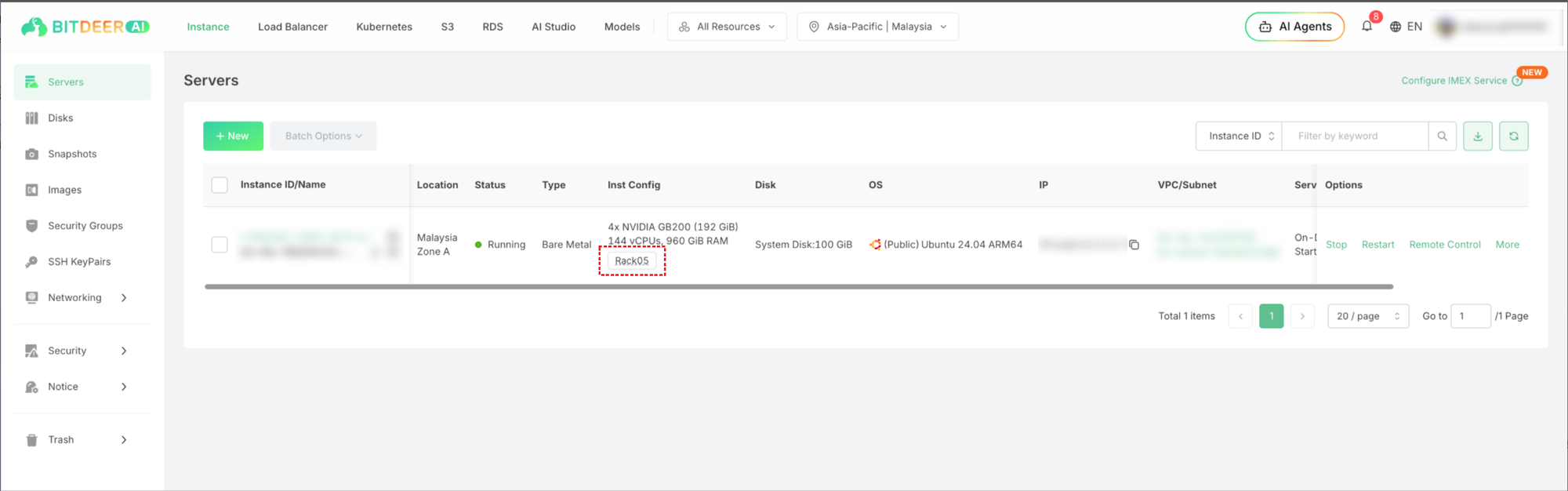
- Click the Rack Info entry to view all servers in the same rack
- Note down all internal IP addresses of the servers you want to configure
Step 2: Connect to Server via SSH Key
- Open your terminal or SSH client
- Connect to the server using SSH key authentication:
ssh -i /path/to/private_key root@<internal-ip>Example:
ssh -i ~/.ssh/id_rsa [email protected]Step 3: Configure IMEX Service
- Open the IMEX nodes configuration file:
sudo vim /etc/nvidia-imex/nodes_config.cfg- Add all internal IP addresses of the servers that need to interconnect, one per line:
192.168.1.10
192.168.1.11
192.168.1.12
192.168.1.13- Save the file and exit the editor
- Restart the nvidia-imex service:
sudo systemctl restart nvidia-imex.service- Verify the service status:
sudo systemctl status nvidia-imex.service- Verify all nodes are discovered and connected:
nvidia-imex-ctl -N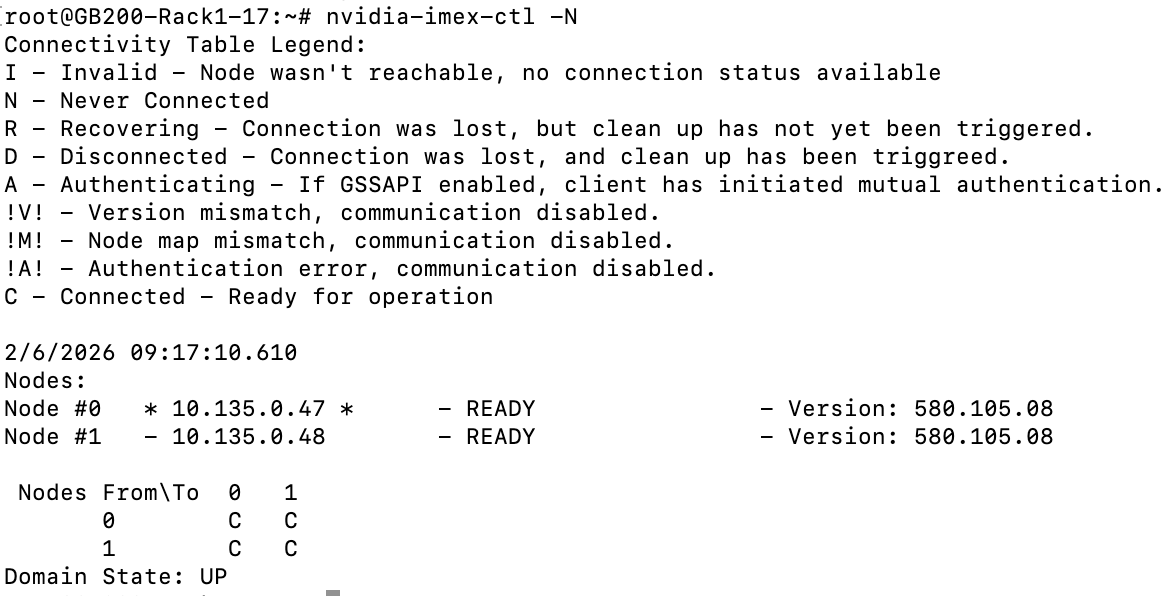
Note:
- Include ALL server IPs in the configuration, including the current server's own IP
- Each server in the rack should have an identical
nodes_config.cfgfile - Repeat Step 2 and Step 3 on each server in the rack