Sign Up
Last Updated: 2026-05-03 21:48:26
Entry Point
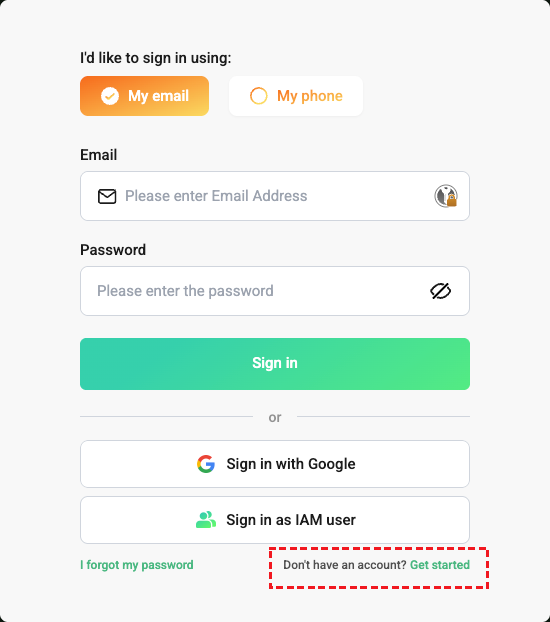
- First visit the official Bitdeer AI website: https://www.bitdeer.ai/en.
- After opening the site, click the sign-in link to log in directly, or continue through a product entry.
- Switch between
My emailandMy phoneat the top of the form. Sign up with Googleis available at the bottom of the form.- Existing users can click Log in to go to the sign-in page.
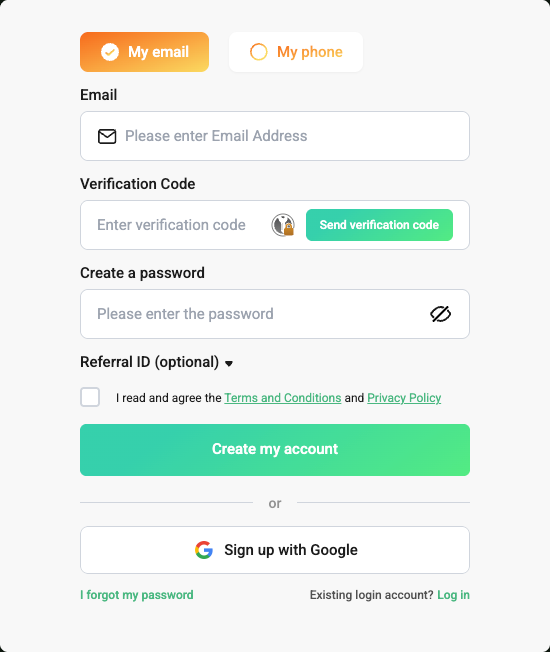
Email Sign-up
- Click
My email. - Fill in
Email. - Click
Send verification codeand complete the captcha challenge. - Enter the verification code you received.
- Set a password.
- Agree to the
Terms and ConditionsandPrivacy Policy. - Click
Create my accountto finish registration. - Fill in
Referral ID (optional)if available.
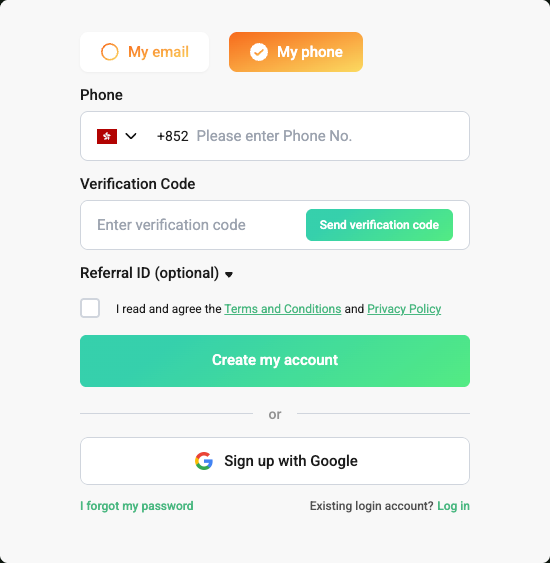
Phone Sign-up
- Click
My phone. - Choose the country or region dialing code.
- Fill in
Phone. - Click
Send verification codeand complete the captcha challenge. - Enter the verification code you received.
- Set a password.
- Agree to the
Terms and ConditionsandPrivacy Policy. - Click
Create my accountto finish registration. Referral IDis optional.
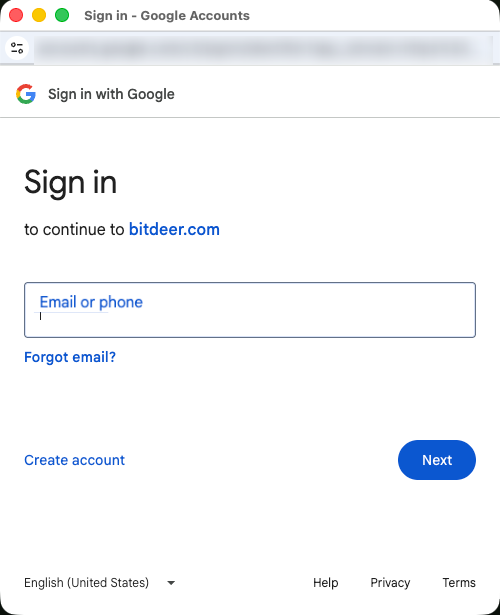
Google Account Sign-up
- Click
Sign up with Google. - The page redirects to the Google account chooser.
- Select an existing Google account and finish authorization.
- After authorization, return to Bitdeer and complete account creation.
Notes
- A slider captcha appears before the verification code is sent.
- Email and phone sign-up both require verification code validation before password setup.
- You must agree to the policy terms before signing up.
- The page supports switching to Chinese.